Shopping Cart
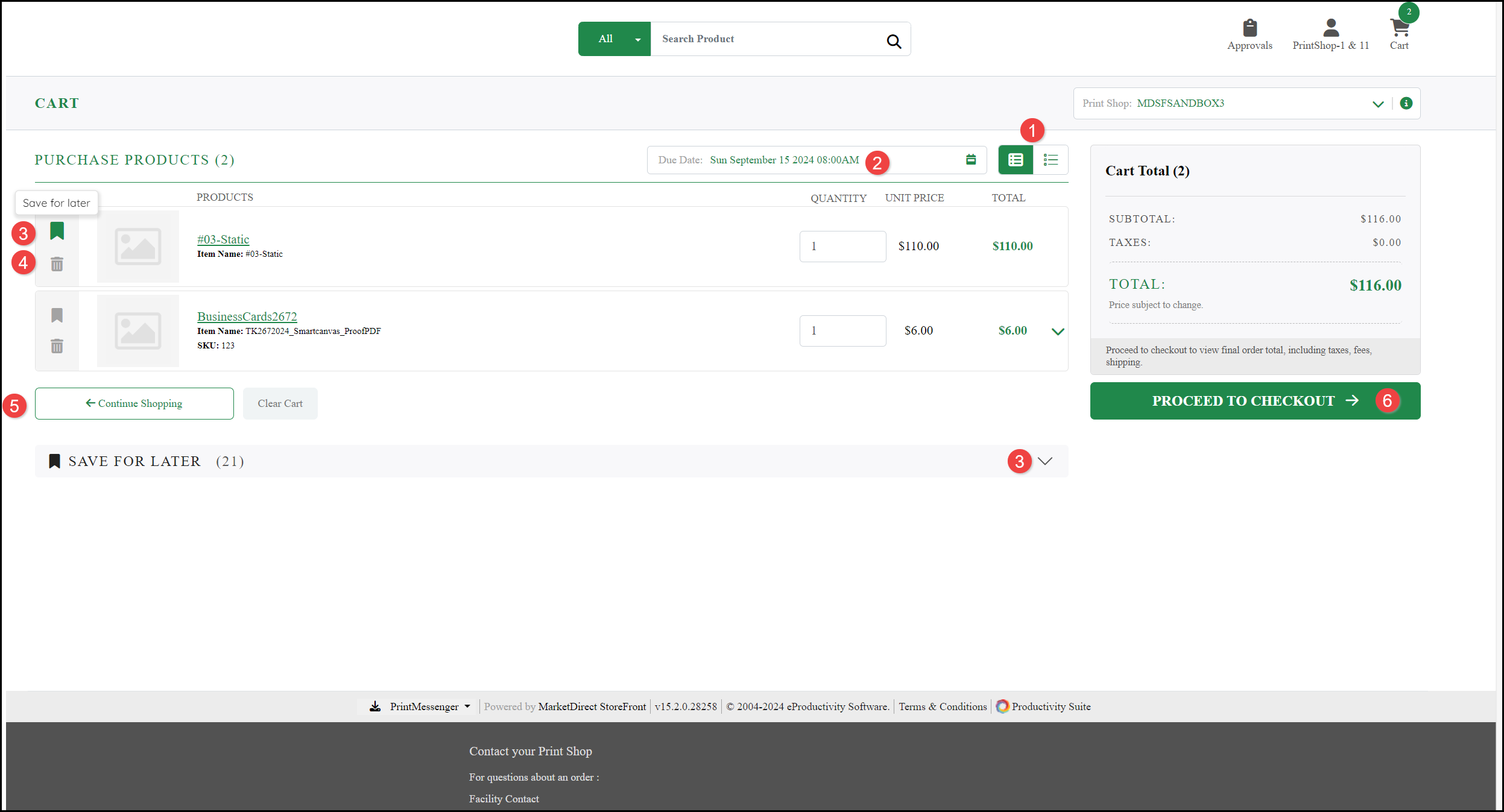
You can view your Cart at anytime by clicking the Cart icon and you are taken their automatically whenever you select to Buy a product. You can:
- Leave on Standard View or select Concise View if you have a large number of items.
- View the delivery Due Date.
- Select Save for later. You can view any saved products using the SAVE FOR LATER menu.
- Choose to Remove the item from your Cart.
- Continue Shopping and return to the Home page or Clear Cart and start again.
- Select PROCEED TO CHECKOUT to make your purchase.
Checkout
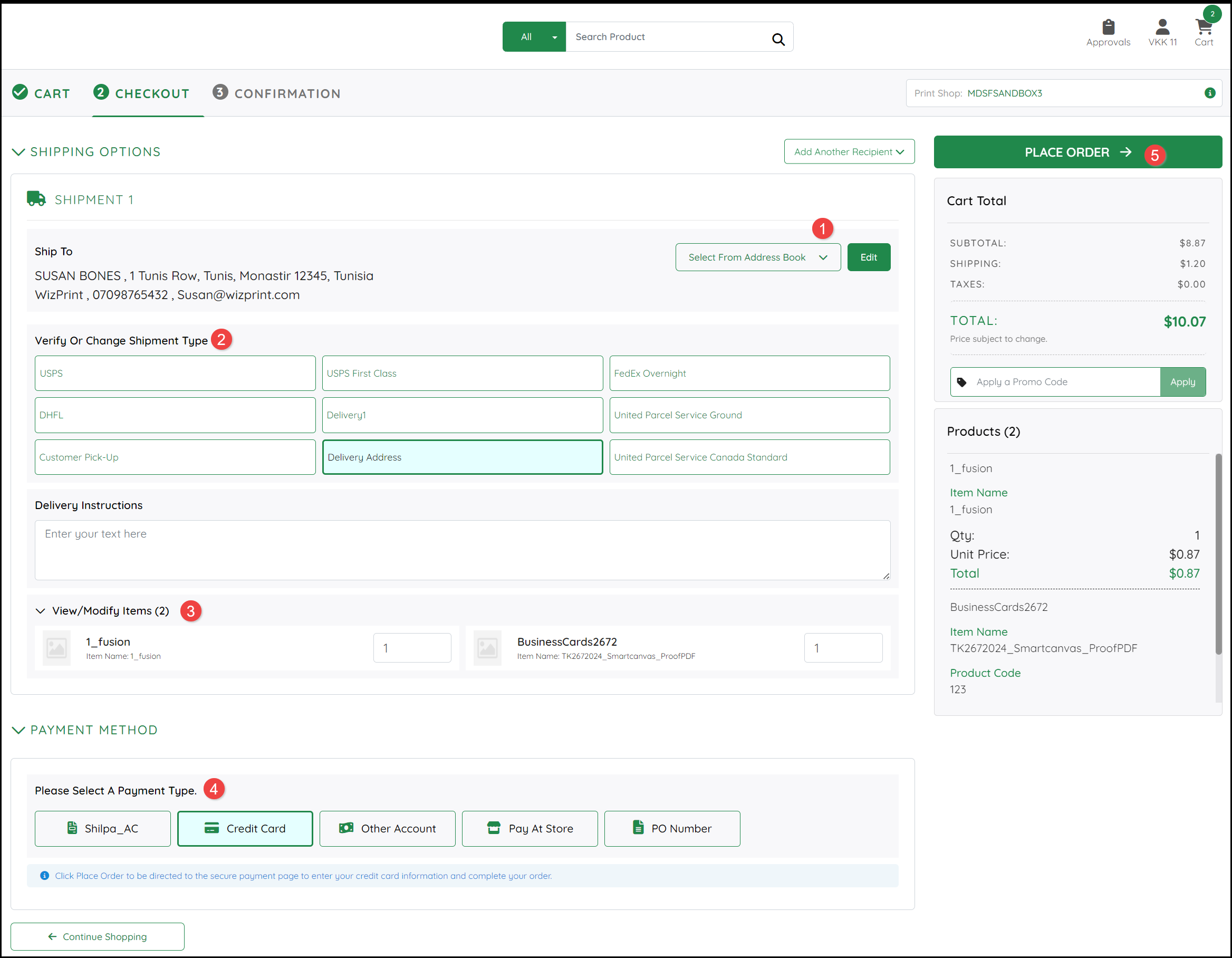
When you PROCEED TO CHECKOUT:
- You have the option to:
- Add Another Recipient to your Address Book to add a delivery address.
- Select From Address Book if the delivery addresses has already been added to your Address Book or select an address for delivery.
Note: More than one shipping address can be selected if you explain the requirements in the Delivery Instructions.
- Select the Shipment Type, you can view the SHIPPING cost for your selection in the Cart Total.
- Modify the items to be included in your order.
- Select a Payment Type from the options available, these could be:
- An Account set up with the Store.
- A Credit or Debit Card (you will be prompted to enter or confirm details when you place the order).
- Payment at the Store.
- Entering a Purchase Order number.
- Select PLACE ORDER.
See also: