Storefront Home Page
Every Storefront Home page is unique to a company's website or store. This guide aims to provide you with information for using the standard features that are likely to be available. These may be configured to look and behave differently. If unsure, contact the store directly using their contact options.
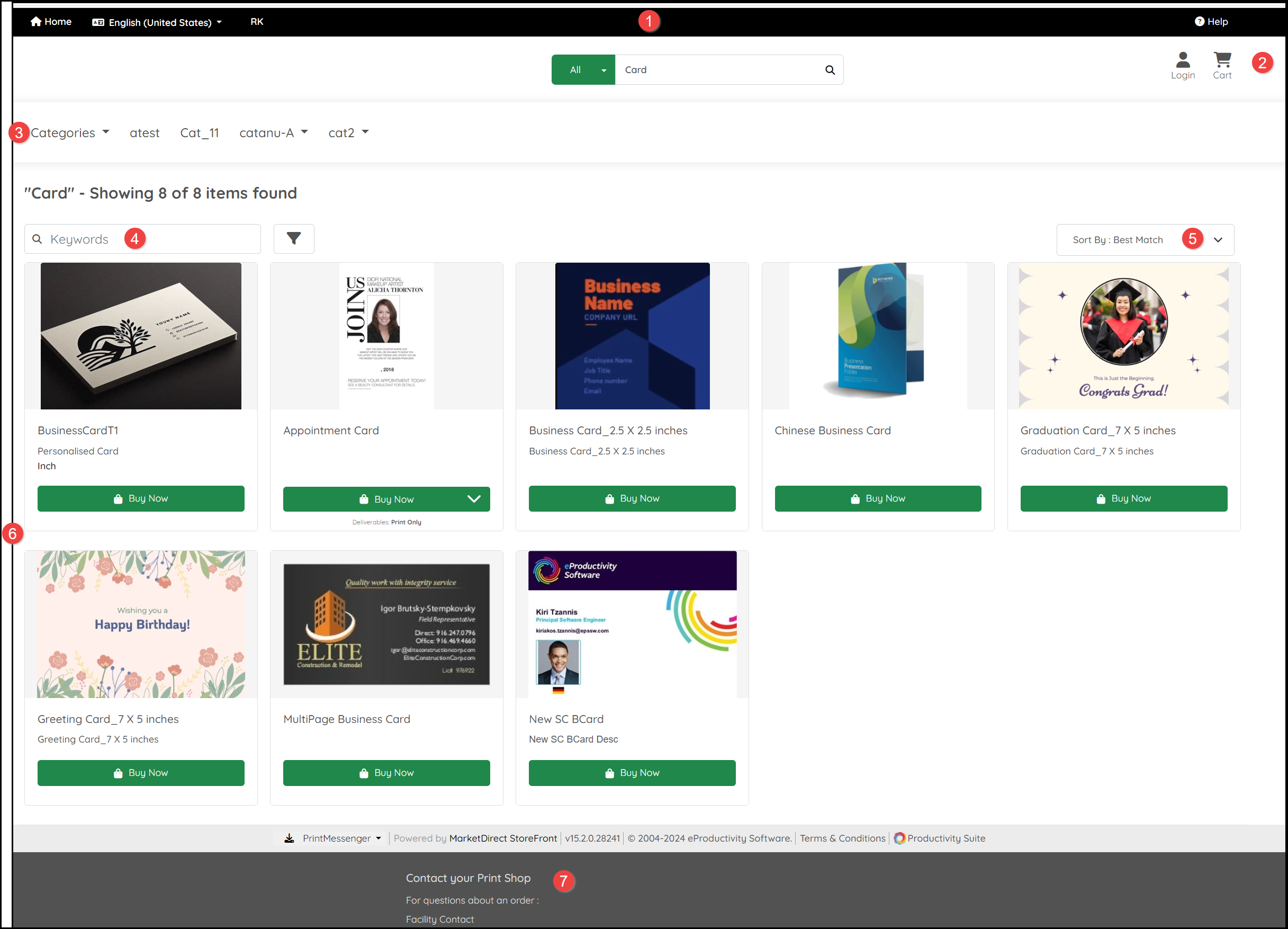
The Home page contains:
- A Header area with:
- Home icon: Select this to return to the Home page.
- Language menu: The language/locale selected is displayed next to the menu.
- Help: Select this to return to the store's Help guide.
- Additional options may be made available such as a link to their location on a map.
- An area where you can:
- Login to your account (do this before placing anything into your Cart).
- View the items in your shopping Cart.
- Search for products using key words.
- If you have set up an account with the company, an approved spending may also be displayed.
- At least one Categories menu. Additional options may be available such as different product types, trending items or special offers. Is you select a subcategory, an additional Search can be performed within that subcategory.
- An option to filter on Keywords.
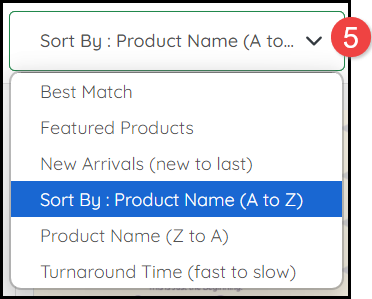
- A Sort By menu:
- A list of Products meeting the criteria set for Categories, Search Terms and Filters.
- Contact Details for the company.
- Select Buy Now to see further details and personalize a product.
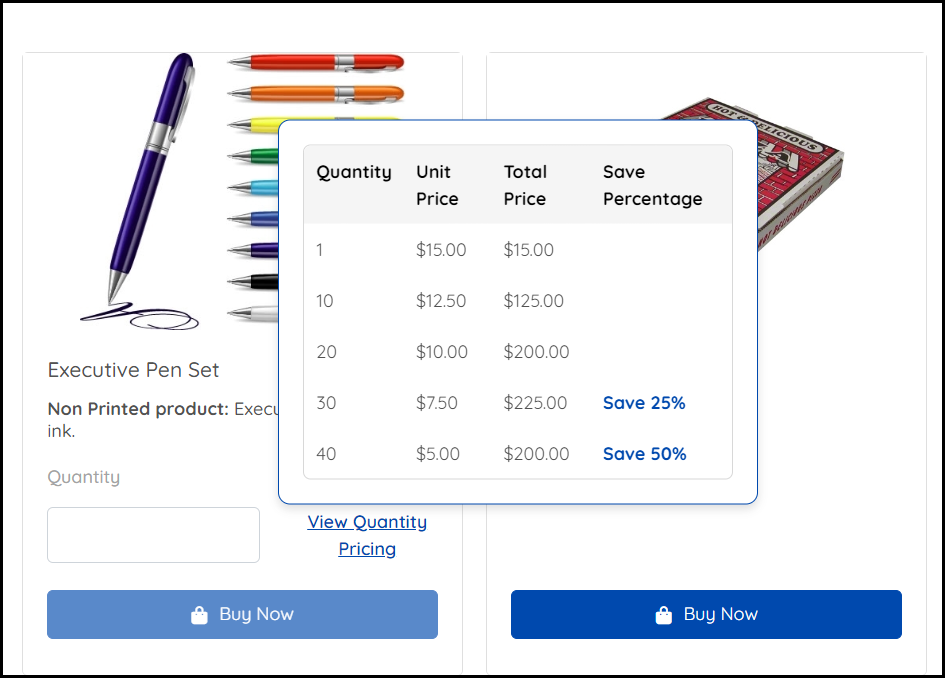
Products may include Pricing or the option to View Quantity Pricing information:
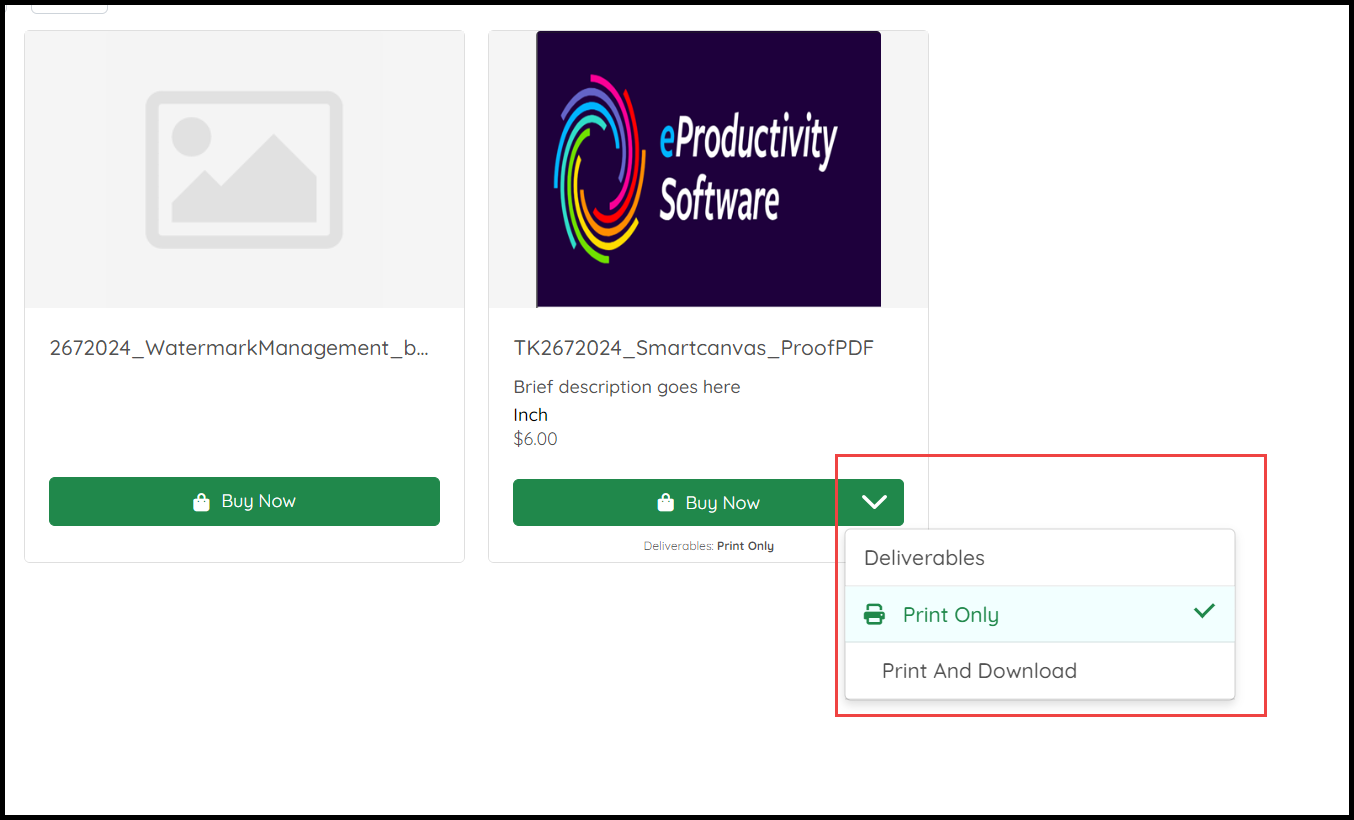
Products may include other options indicated by a link or menu:
See also: